Designing a research repository people will actually use
Canadian Institute for Health Information, 2026
I was tasked to design the organization’s first UX research repository; in true User Researcher fashion, I started this journey by trying to understand the people who would need the final solution most.
Once the findings were in, I suggested next steps. But, on a slide, recommendations can feel abstract; leaders can’t engage with a diagram the same way they can engage with something that behaves like the real thing. So, I built an interactive prototype using AI.
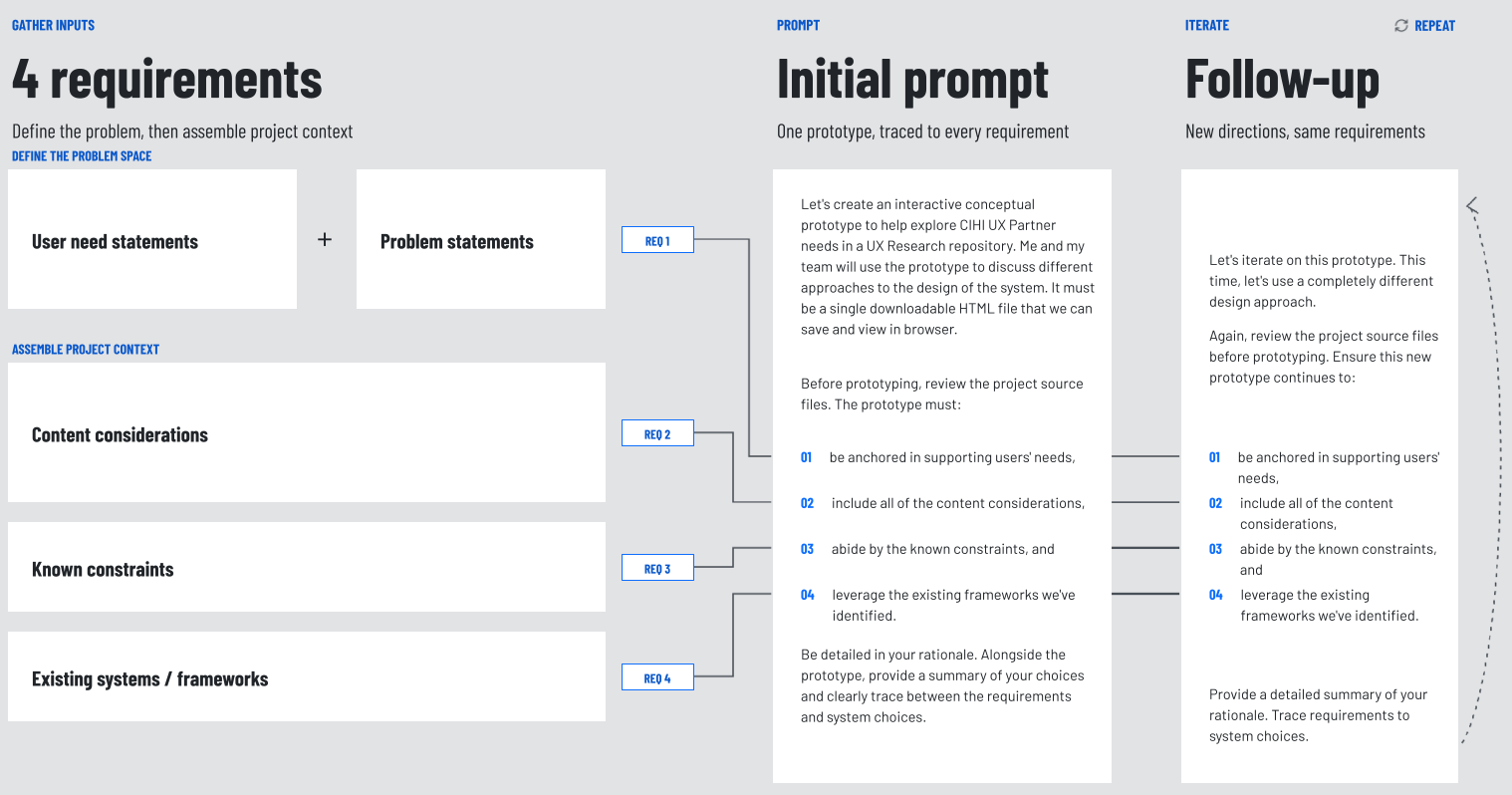 Click the image to see it full size in a new tab.
Learning partners' needs
The obvious answer to this problem relates to findability: build a searchable library, fill it with insights, and people will use them. But the research showed that isn’t necessarily true. While making insights easy to find is important, it doesn’t make everyone confident enough to actually use them.
I ran listening sessions with 36 CIHI staff across a range of roles and relationships to the research, including project leads closely embedded in research practices to branch directors who weren’t even sure what UX Research had to offer.
During these sessions, I focused on paying rapt attention to each individual’s experiences and ways of thinking. One question guided my prompts: “What makes this person feel confident enough to rely on a research finding they didn’t produce themselves?”
The real problem wasn’t findability
Throughout the interviews, it became clear that someone’s proximity to the research influenced how much they trusted it. A lead embedded in a study never doubted the findings: “I was on the journey, so there was never a moment where I had to be unsure.” But a manager on the periphery wasn’t sure research could help at all.
When I looked at what proximity actually gave the confident people, it broke into three things they could see. First, they had a solid understanding of who was studied and the limits of what was found. Second, they got to see the underlying evidence behind the finding, and the context around it. And, third, they could see whether the organization could actually act on it.
Thus, while the people close to the work absorbed these confidence-building facts during a project, everyone else was working without them.
Designing for confidence, not just search
I structured recommendations for the repository to focus on confidence signals. Each entry should hold a study, its key findings, and the evidence under each finding, so any claim traces back to where it came from.
Further, I recommended metadata to carry the rest of the contextual information people needed, including the sample, the method, the participant characteristics, how fresh a finding is, and who to ask when a question remains. While this metadata provides critical details people need to trust an insight, it also provides a solid foundation for future potential AI interactions. I dive into why this is important when responsibly democratizing user research in my article: Researcher’s Guide to Using AI for User Knowledge Mobilization.
Note: This is not the prototype I built for CIHI. It is a recreated version, with fabricated content, for demonstration purposes only.
Prototyping the structure in hours, not weeks
I gave the model my findings and recommendations, then directed it with design language (think: list views, accordions, faceted filtering, sticky sorting bars).
Together, the AI and I iteratively refined the interactive prototype into something that could effectively facilitate discussion with the project leaders. This process took about two hours and saved me the days, possibly weeks, it would have taken me to do this by hand.
Where it stands now
The repository is in-flight work. The research is complete, the design is underway, but the final decisions are yet to be made. With my research and prototypes in hand, CIHI’s leaders now have something real to anchor their future decisions; they can feel more confident about how they will extend the value of user research across the organization.
What I carry forward
Using UX Research findings can be a trust problem before it’s a search problem. While findability is high-stakes, people will actually use research if they can trace it, judge it, and see it acted on. And the people who need this support the most are the ones without the researcher down the hall.
Additionally, when a working prototype costs hours instead of weeks, enabling decision-makers to interact with something real (while the design direction is still open) can allow users’ needs to truly resonate. Not only can AI prototyping compress the time to build, but it also allows teams to better gauge what’s worth building.